Care information, close at hand.
Keep allergies, care notes, family contacts and pickup permissions in the student record.
Daycare & education
Less chasing forms. More time for the people in your care.
Your enrollment, daily operations and business finances, together.
 Enlarge
A closer look
Built around the work of running a daycare.
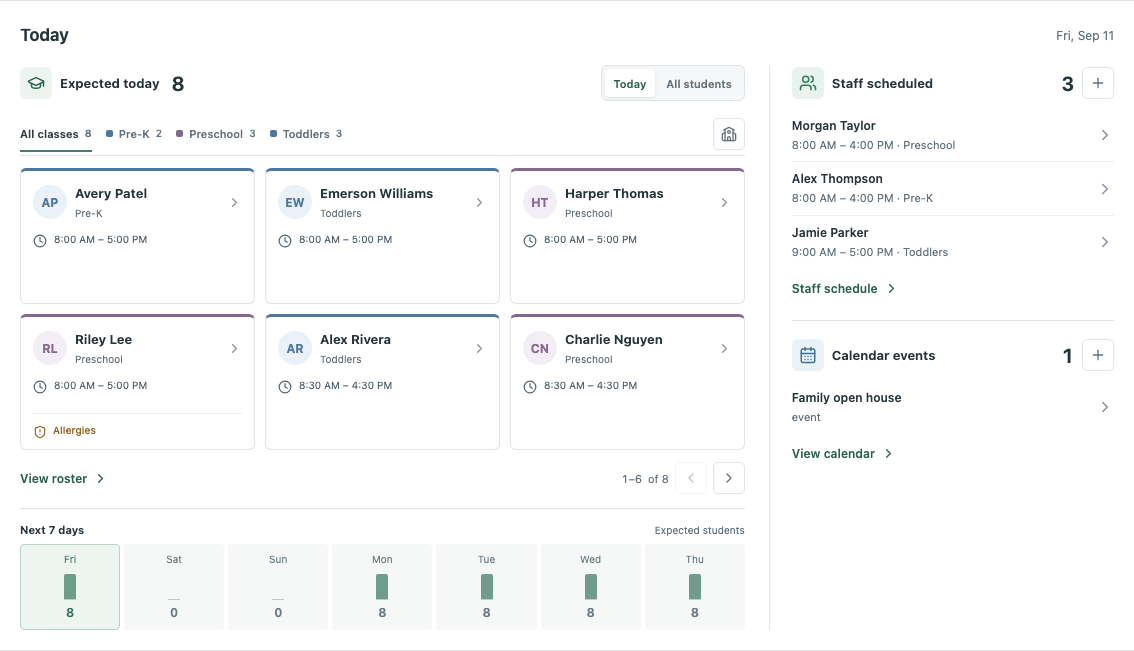
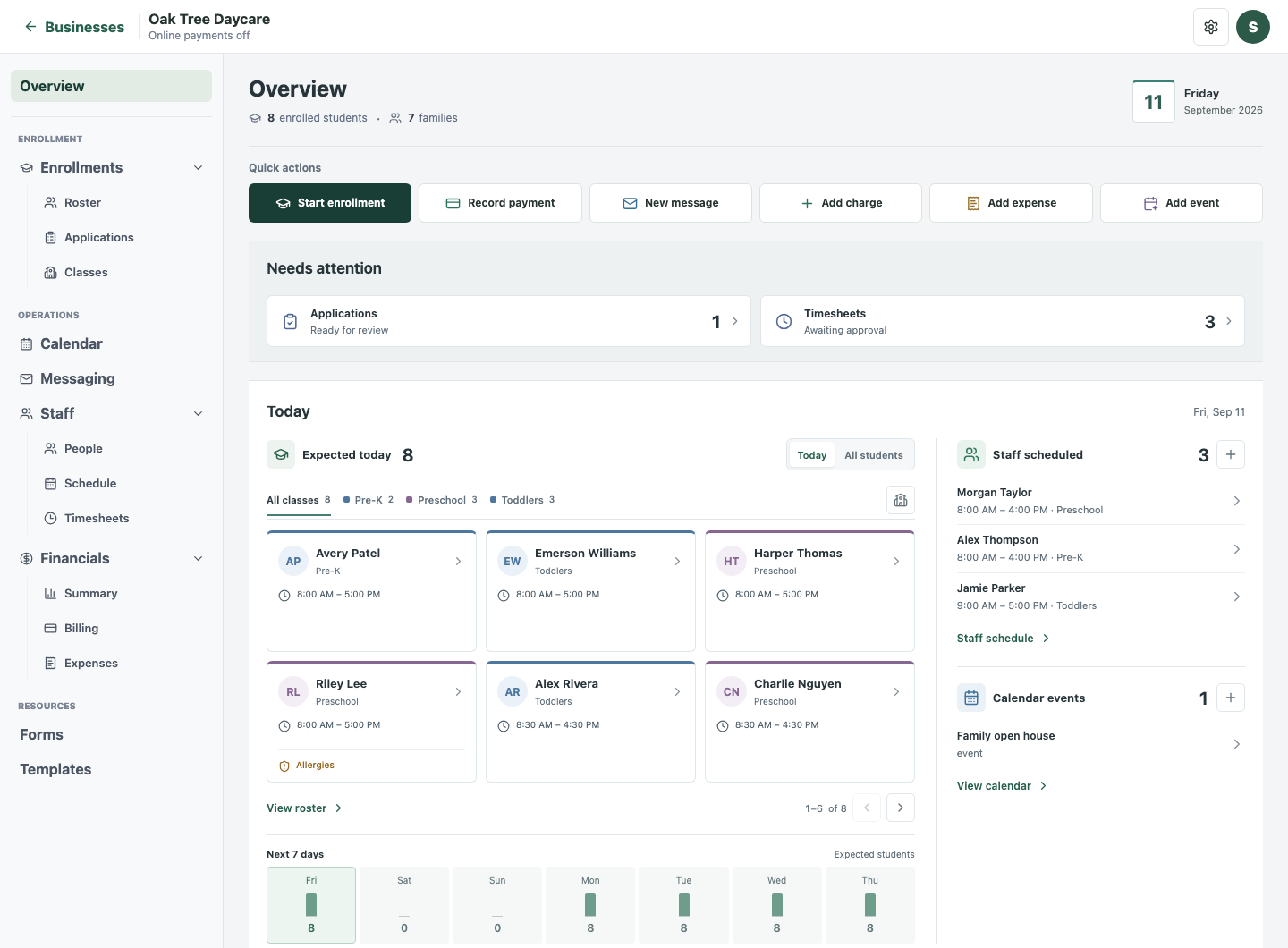
Who’s expected, who’s working, and what needs attention. Your daily overview brings the next action into focus.
 Enlarge
Actual TermWork screens · Fictional demo records
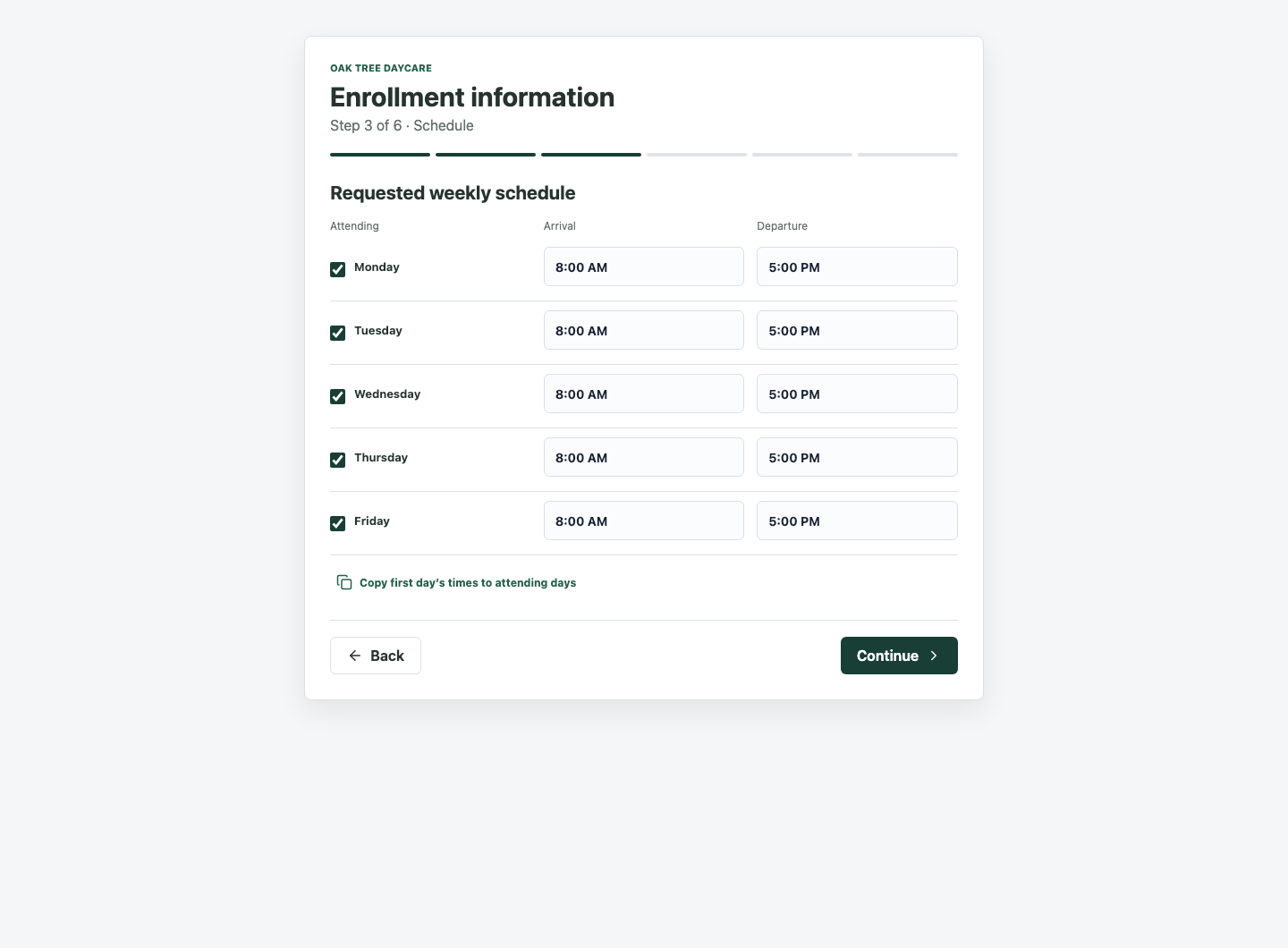
Send a guided enrollment form. Families add their details, schedules and care information. You review it all before completing enrollment.
 Enlarge
Actual TermWork screens · Fictional demo records
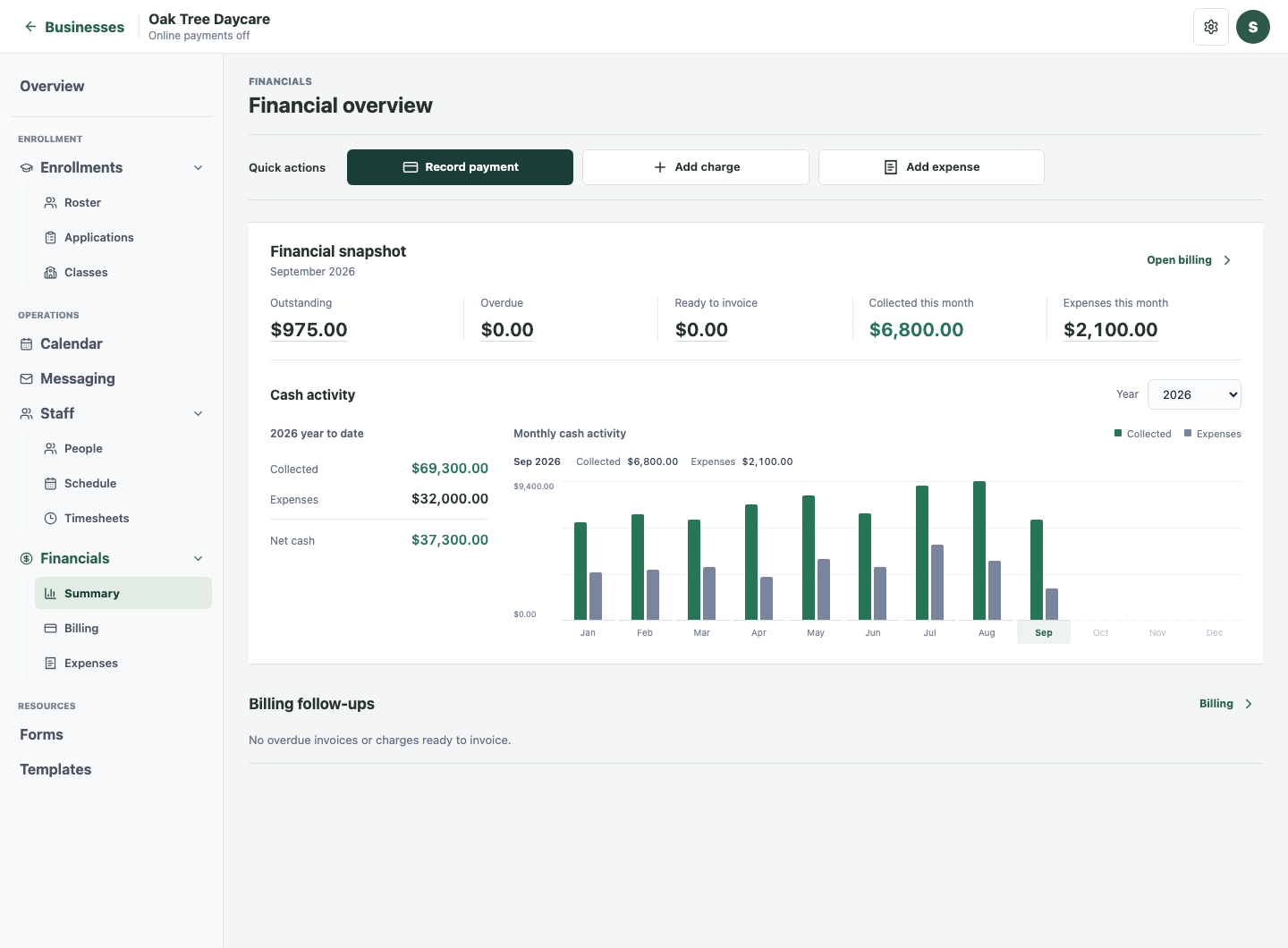
Keep tuition, invoices, payments and expenses connected. See what’s outstanding and how cash activity changes over time.
 Enlarge
Actual TermWork screens · Fictional demo records
Send a class update or choose individual contacts. Review your email, schedule it for later, and check its delivery status.
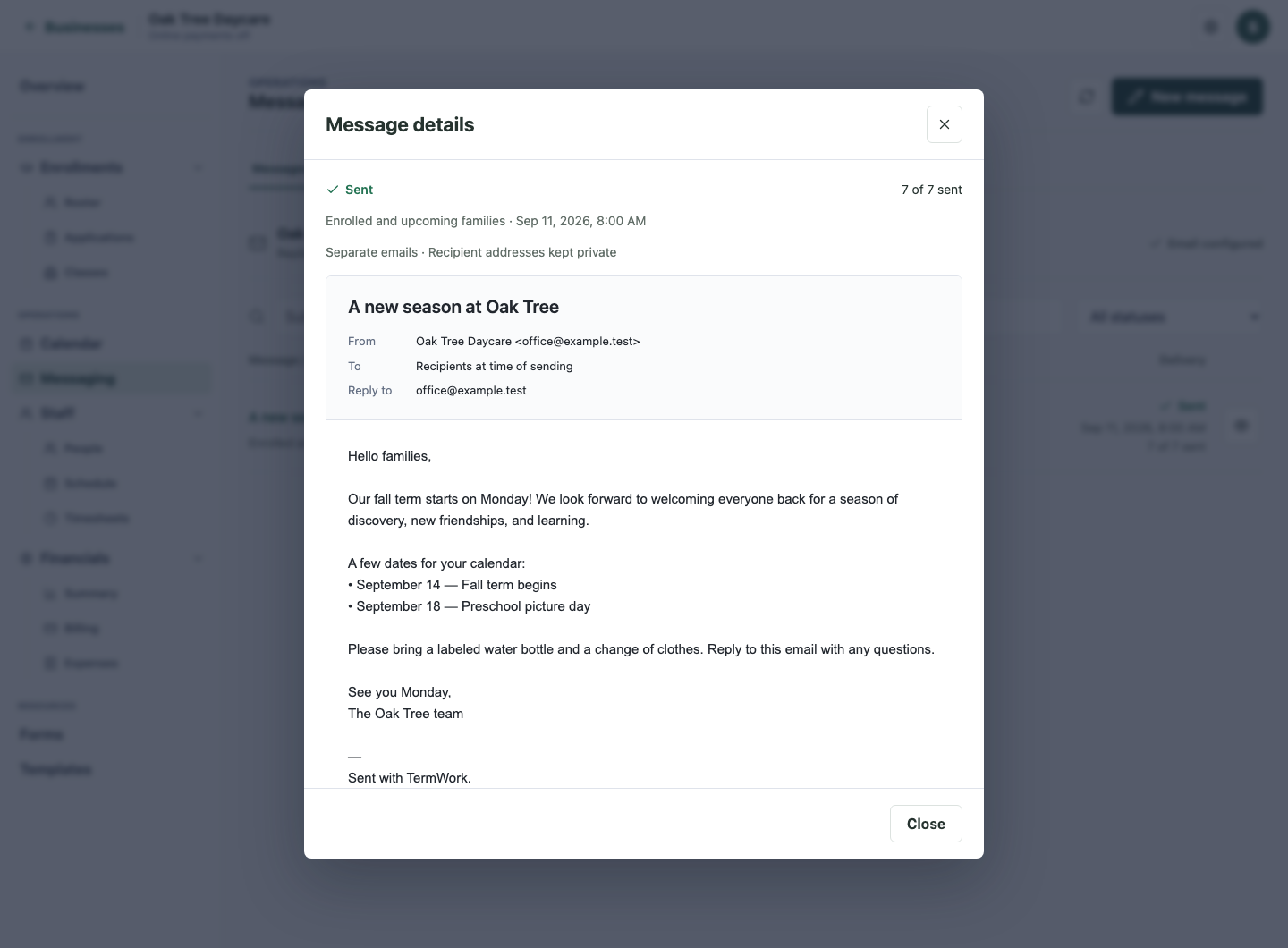 Enlarge
Actual TermWork screens · Fictional demo records
Plan shifts on a calendar, record actual time, and review weekly hours and payout totals.
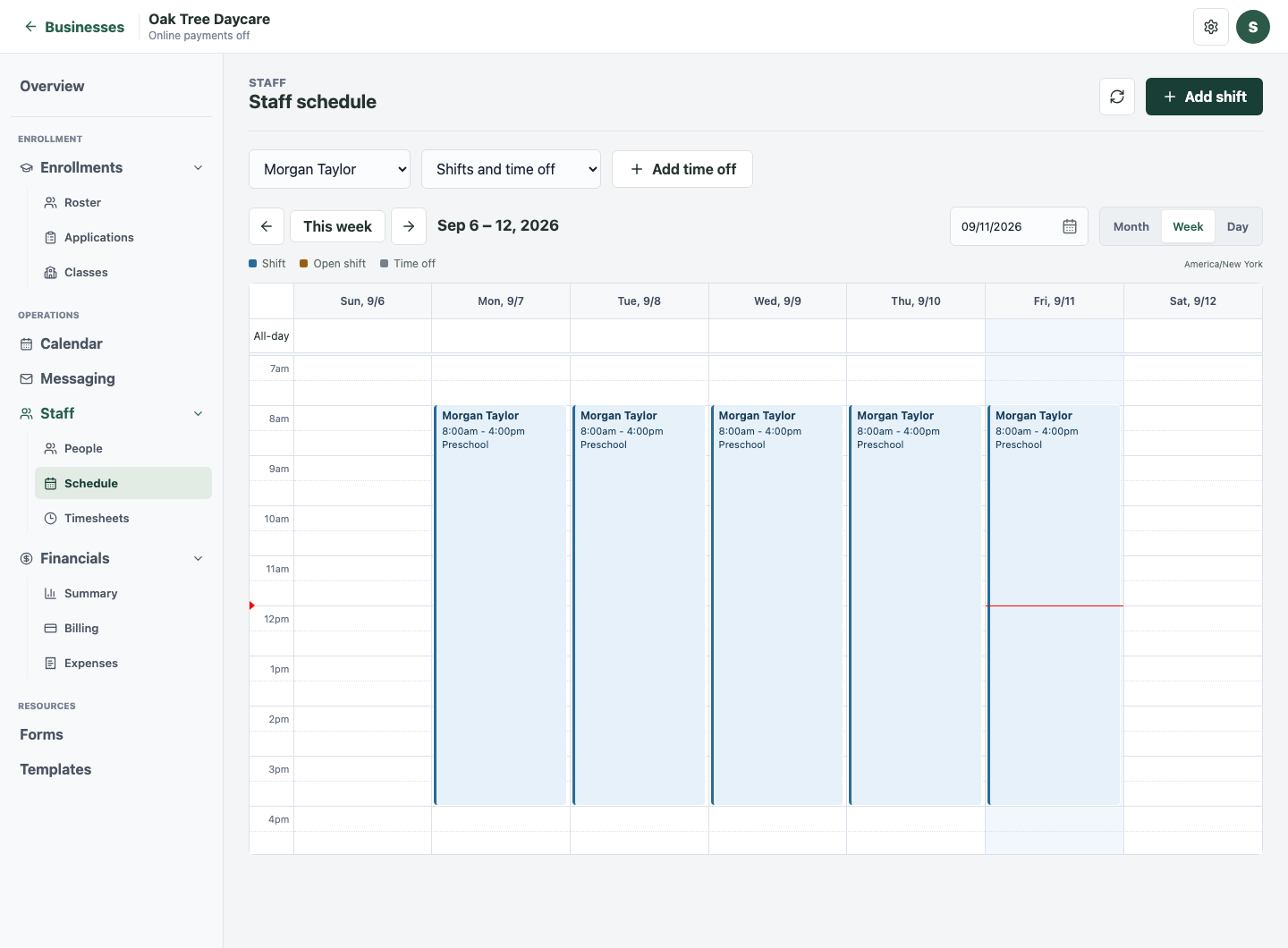 Enlarge
Actual TermWork screens · Fictional demo records
From entry to review
Give families a clear path in.
Give your team a clear next step.
Send an enrollment link, or enter the information together.
One starting pointContacts, schedules and care needs arrive in a structured record.
Ready for your reviewConfirm enrollment, assign a class and set up tuition and documents.
Connected from day oneThe everyday essentials
Keep the work moving beyond enrollment.
Keep allergies, care notes, family contacts and pickup permissions in the student record.
Collect information with custom forms, manage templates and track document signatures.
Switch between month, week and day views for events, schedules and upcoming work.
Configure enrollment and invoice reminders, or create your own email automations.
Move from the financial snapshot to the invoices, payments and expenses behind the numbers.
Review weekly time, approve hours, and calculate staff payouts from hourly rates, fixed weekly salaries, or a shared pool.
For the people behind the care
Schedules show the plan.
Timesheets show the time actually worked.
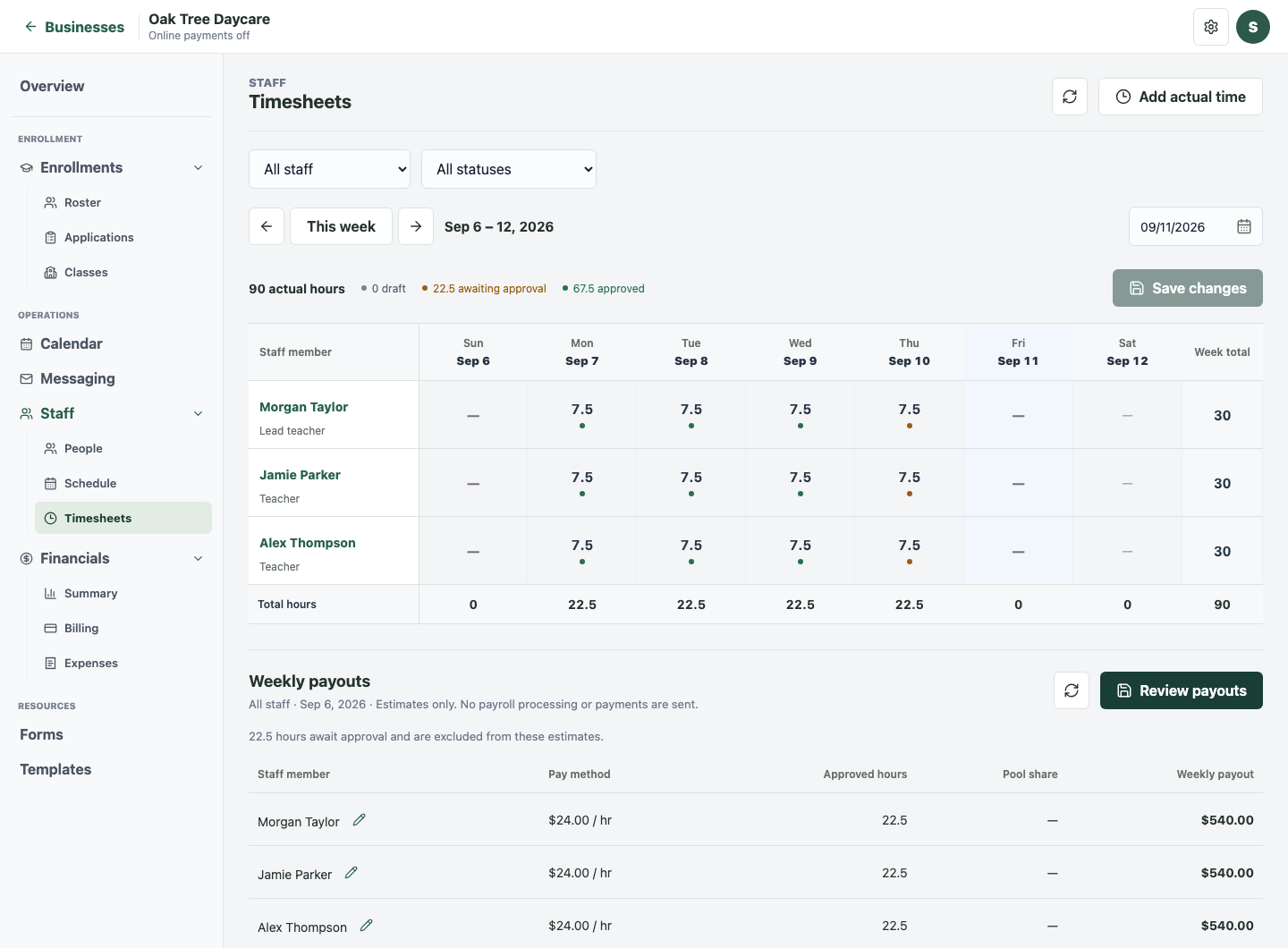 Enlarge
Actual TermWork screen · Fictional demo records
A few good questions
Yes. Send a family an enrollment link to collect student details, contacts, a weekly schedule and care information. Staff review the submission before completing enrollment. You can also enter the information together.
Yes. Each student record includes the relevant family and pickup contacts, permissions, schedule, care information and documents. Family billing keeps shared financial information connected.
Both. Choose a class group or select individual eligible contacts. Send separate emails or a shared email with To and CC recipients, and review the message before sending or scheduling it. Email delivery requires a configured sender.
No. Staff tools track schedules, time off, approved hours, and weekly payout estimates. You can export totals and record payments made elsewhere. TermWork does not process payroll, transfer money, or file taxes.
This is the product website. Open TermWork or Sign in takes you to the separate application, where you can sign in or create an account.
The rental workspace is coming soon. It will have its own business-specific experience. No public launch date has been announced yet.
Make room for the work that matters
Already have an account? Sign in